
1.
Granola — Best AI Notetake

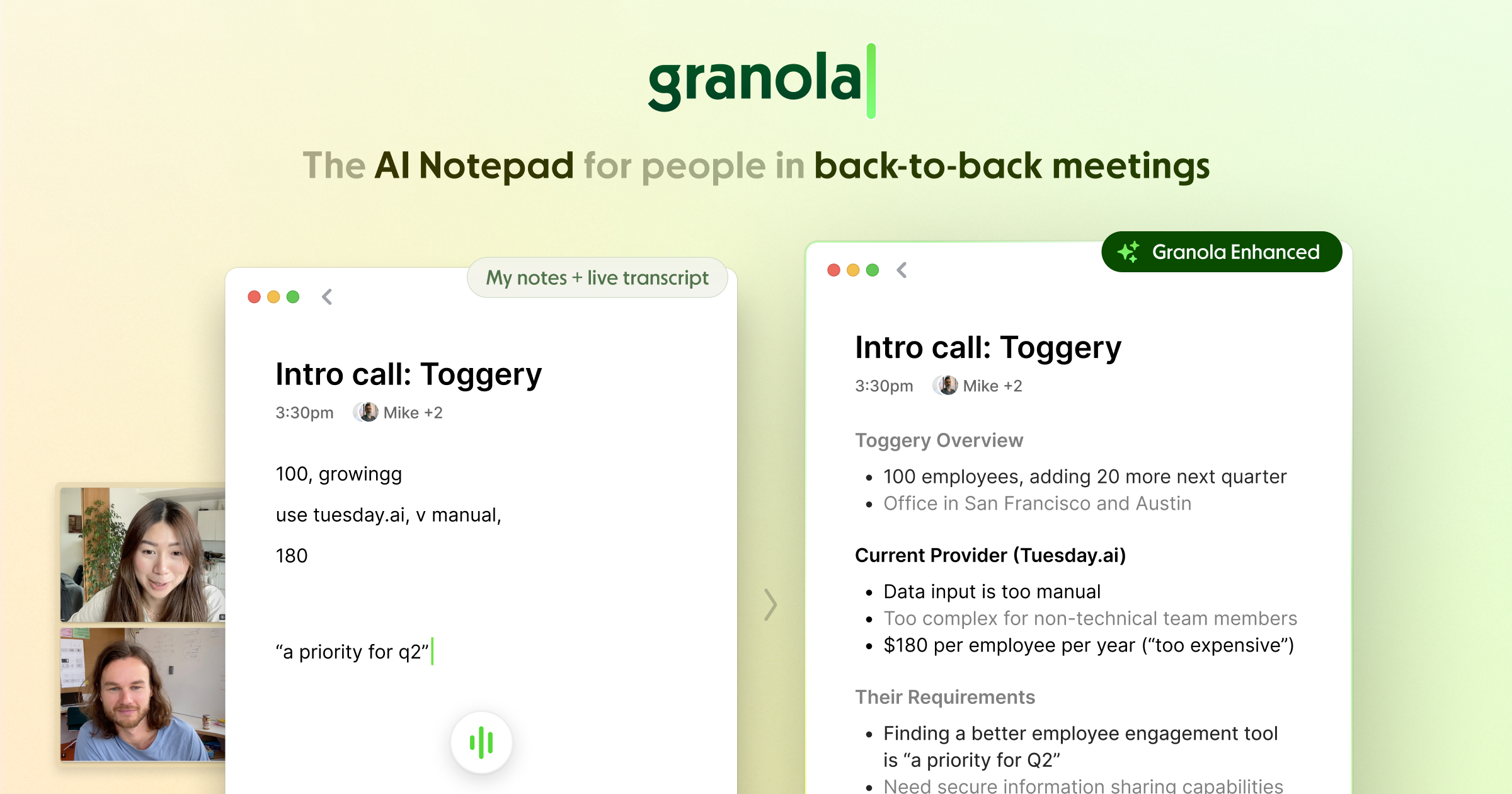
Most notetakers just transcribe. Granola actually thinks.
You activate it before a meeting, in person or online and it listens and takes structured notes automatically.
The part that makes it genuinely useful is what comes after. You can open the notes from any meeting and just talk to them. "Draft that follow up email to Tom" and it writes it based on exactly what was discussed. On the home page you can query across all your meetings "who mentioned they knew someone at X firm?" and it surfaces it instantly.
If you're running a lot of client meetings, this is the one I'd install today.
2.
Lovable — Build Websites and Internal Tools Without a Developer
This one genuinely surprised me the first time I used it.
Lovable lets you build websites and internal tools — from simple to surprisingly advanced — with no technical knowledge, often in a single day. Here's how this plays out in practice: a staff member wants to turn an Excel report into a live dashboard. You take your Granola meeting notes, ask it to draft a system prompt, drop that into Lovable in chat mode, create a build plan, approve it, execute. From there you can add Google login, connect a live data feed via API, even attach an AI so users can talk to the data directly.
The scope of what's possible in a day is genuinely hard to believe until you've done it.
Try Lovable: https://phlo.ing/lovable
This video is a year old but still relevant:
3.
Shortcut AI & Claude Inside Excel

Think of this as Lovable — but built specifically for Excel.
It actually constructs your financial models properly. Not just formatting — the logic underneath. You can prompt it to build a model from scratch, or if you're working with a third party data room, ask it to explain exactly how it got to a specific number.
Incredibly useful for any team that lives inside spreadsheets. I'd watch both videos below if you're an avid Excel user — the tools are very similar and I believe use the same models.
4.
Google Labs — The Most Underrated AI Toolkit Nobody's Talking About
Most people know Google has AI. Almost nobody is using what's sitting inside Google Labs.
Google Labs is where Google ships experimental tools before they go mainstream, early access to the next version of how you'll work. A few worth paying attention to right now:
Pomelli — AI-powered marketing tool that builds on-brand content at scale. Their new photoshoot feature is genuinely good — upload a product photo and it drops it into different styled templates automatically.
CC — an AI agent that lives inside Gmail. Gives you a personalised email briefing every morning and you can ask it for help directly from your inbox. For high-volume client communication this is an immediate time saver.
Opal — build AI mini-apps using plain English. Similar energy to Lovable but inside the Google ecosystem.
Disco/GenTabs — remixes your open browser tabs into custom apps using Gemini. Sounds gimmicky until you realise how much time people spend jumping between platforms.
The broader point: most of the Google ecosystem already has Gemini quietly embedded inside it — Docs, Sheets, Gmail, Meet. Most firms aren't using any of it. The gap between the ones that do and the ones that don't is only going to get wider.

5.
NotebookLM — Turn Any Content Into a Personal Coach
This one deserves its own issue eventually. Here's the short version.
You take any content — a course, a book, a collection of articles — upload it to NotebookLM, and it becomes a coach you can have a conversation with. Specific answers drawn from that exact material, applied to your current situation.
Here's how I think about it: I didn't pay $50,000 to hire a top business advisor. I took their entire public content library and turned it into a personal AI coach using NotebookLM. Is it actually them? No. But the specific problem you're dealing with right now has almost certainly been solved by someone who's documented it — and this surfaces that advice in seconds.
If you've ever bought a course and not finished it, put the material in here. You now have a coach on call.
I have attached the full writeup here: Reply Alex to the email and i will approve access to the workspace

6.
Lindy — AI Automation Without the Technical Headache
If you've heard of Zapier or Make but found them intimidating, Lindy is where I'd send you first.
The AI layer makes it dramatically easier to set up. Here's a live example: a new lead comes in, Lindy enriches them automatically, pulls their contact details, adds them to your CRM, and sends a personalised outreach email based on their business — all without you touching it.
The time savings on repetitive tasks is real. This is usually one of the first things I set up inside a new client. I'm a Lindy partner — if you want to explore it, book a free discovery call and I'll walk you through it. Lindy walkthrough:
7.
Wisperflow — Talk Instead of Type

You won't realise how much time this saves until you've used it for a week.
Wisperflow lets you dictate instead of type — with AI formatting built in, so it cleans up your words, removes filler, and structures your output properly. You can say "actually delete that sentence" and it understands. You can also benchmark your words per minute typing versus using Wisperflow and watch the gap grow.
For anyone writing emails, reports, or messages throughout the day — immediate win. https://phlo.ing/wisprflow
8.
OpenClaw — Multi-Agent AI for Complex Builds
Most of the tools on this list you can set up yourself in an afternoon. OpenClaw is different.
This is what we use when a firm needs something genuinely custom. OpenClaw is an open source multi-agent AI framework — in plain terms, it lets you build systems where multiple AI agents work together. One researching, one executing, one reviewing, all coordinated automatically. Think less "chatbot" and more "autonomous workflow that thinks."
A real example: a fund admin that needs to monitor portfolio data, flag anomalies, draft a summary report, and route it to the right person — without anyone touching it. That's an OpenClaw build.
Worth knowing: this isn't a tool you need right now. But understanding it exists means you'll recognise when you've outgrown everything else on this list — and what's possible when you do.
9.
Gemini Inside Google Workspace
The gains here are incremental. They stack up fast.
Gemini sits in the sidebar while you're inside a Google Doc or Sheet — and it already has the context of whatever you're working on. Polishing an email in Gmail, summarising a long document, drafting a response. It's the kind of 5% improvement across everything that quietly saves you an hour a day.
If your firm runs on Google Workspace, there's no reason not to have this on.
10.
Claude / ChatGPT — The Tool That Makes Every Other Tool on This List 10x Better
Every tool on this list becomes more powerful when you know how to use this one.
Most people use AI the same way they use Google — type a question, hope for a good answer. That's like hiring the best consultant in the world and only asking them yes or no questions.
Here's what most people don't realise: your LLM of choice probably already knows a lot about you. If you've been using ChatGPT or Claude consistently, it has context on how you think, what you're working on, your industry, your writing style. That's not a small thing. That's a personalised thinking partner that gets more useful the more you use it — and most people are barely scratching the surface.
The single biggest unlock I give clients: get it to ask you questions first.
By default most AI tools just answer whatever you give them. But they actually need more context to give you their best output. Instead of "write me a client email" — try "I need to write a client email, ask me everything you need to know before you start." The difference in output is immediate.
This is the foundation. Every automation in Lindy, every build in Lovable, every workflow in OpenClaw — it all starts with knowing how to communicate clearly with an AI. Get this right and everything else compounds.
To get you started — here are 100 ways to actually use ChatGPT across your business:https://phlo.ing/100-Ways-to-Try-ChatGPT
That's the full list. If one of these is already on your radar or you want to know how it could fit your business specifically — hit reply and let me know.
Daniel